Permit To Work Close Out Inspection
note
Before you begin, please ensure you are logged in to WorkFx. If you need help, see the WorkFx login guide.
Overview
This page describes how to perform PTW close out inspection after work completion.
Steps
1: Access Permit Application
- Please apply the Job Permit Application step 1-2 before proceeding with these steps.
- Follow the shared navigation to open the permit application area and the Apply menu.
2: Open Job Permit Application [PENDING]
- Click
Job Permit Application [PENDING]underMy Applicationin the left menu.
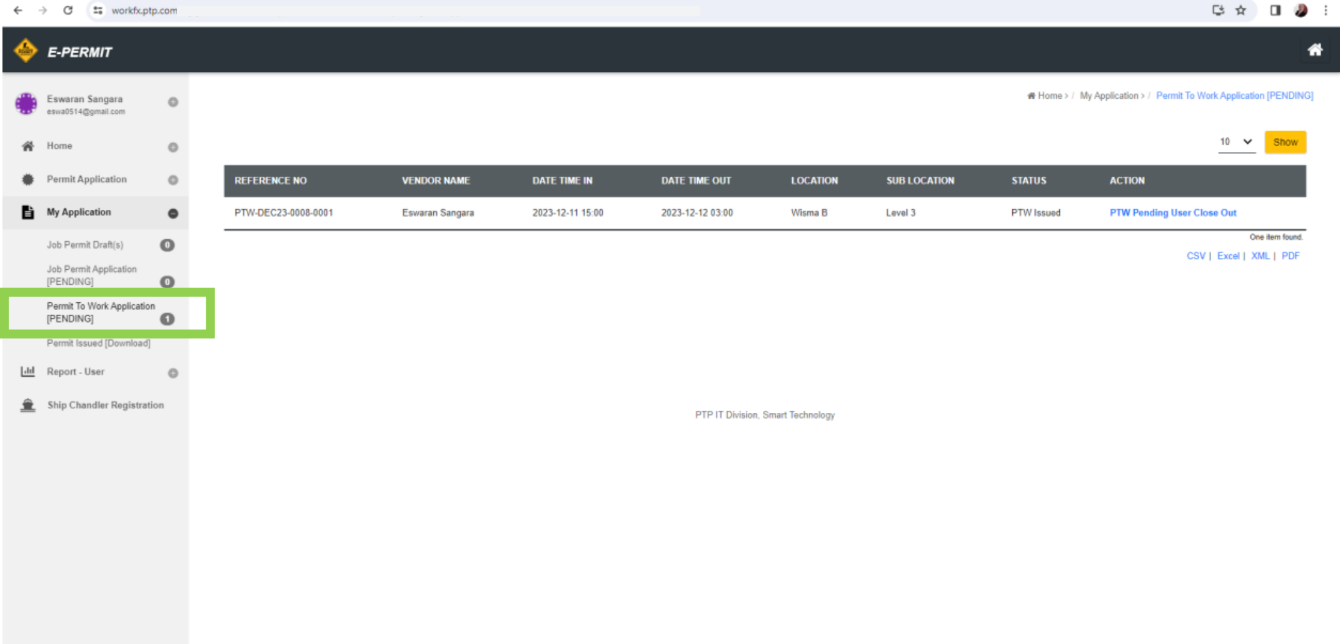
3: Select PTW for Close Out
- Select Permit To Work application with status
PTW Issuedand actionPTW Approved. Pending User Close Out. - Click the Action URL to open the PTW.
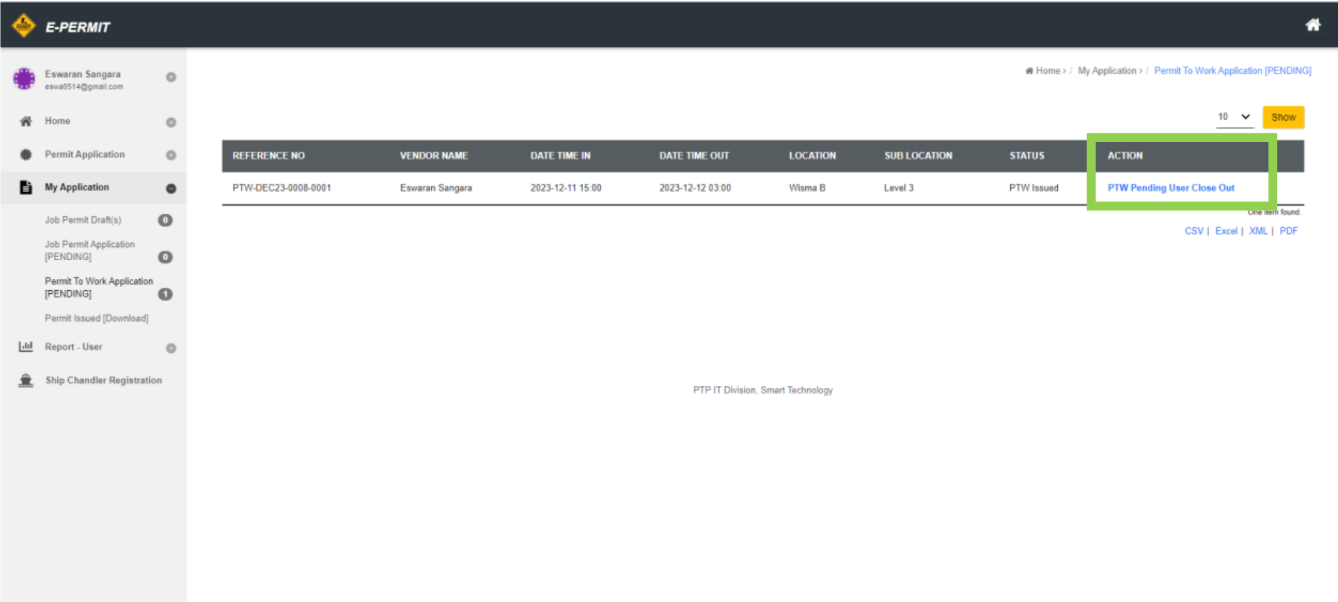
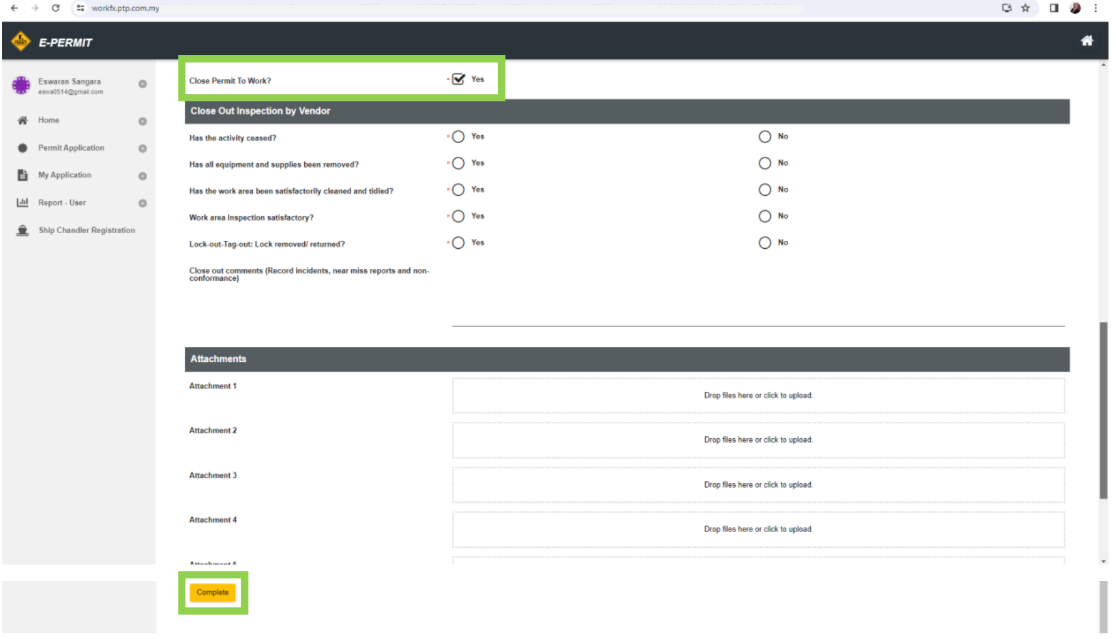
4: Close Out and Submit
- Tick the checkbox to close Permit To Work and click the submit button at the bottom.
note
- Any field marked with
*is mandatory and requires input.
Related Guides
- Permit To Work Application — Submit a PTW application.
- Monitor Submitted Permit Status — Track PTW status updates.
- List of Action required in application — Manage required follow-up actions.