Request for Application Access (Existing WorkFx User)
This section is for existing WorkFx users who already have an account but do not yet have access to the Safety Induction Kiosk System (for example, users with access to the E-Permit system).
info
Skip this section if you are registering as a first-time user.
Overview
This page explains how existing WorkFx users can request access to the Safety Induction Kiosk application via the WorkFx Application Access workflow.
Steps
1: Log in to WorkFx
- Go to https://workfx.ptp.com.my
- Click
Loginand enter yourUsernameandPassword.
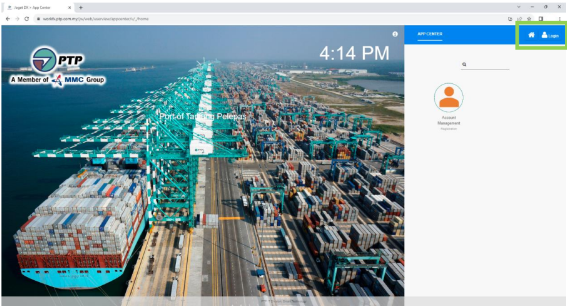
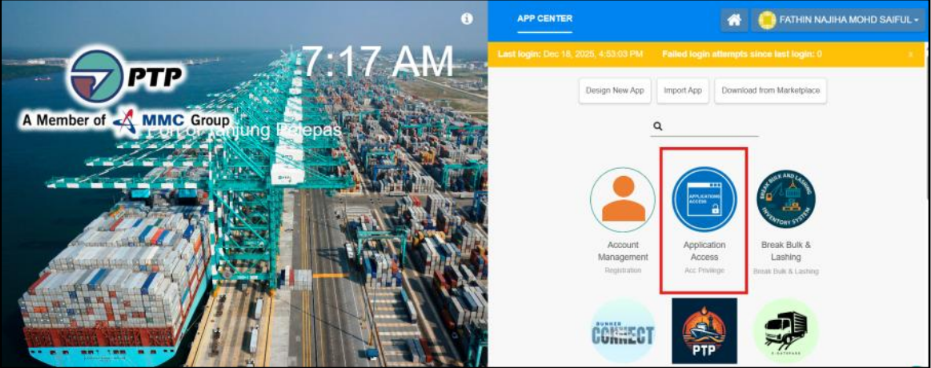
2: Open Application Access
- Click
Application Accessfrom the main menu or user dropdown.
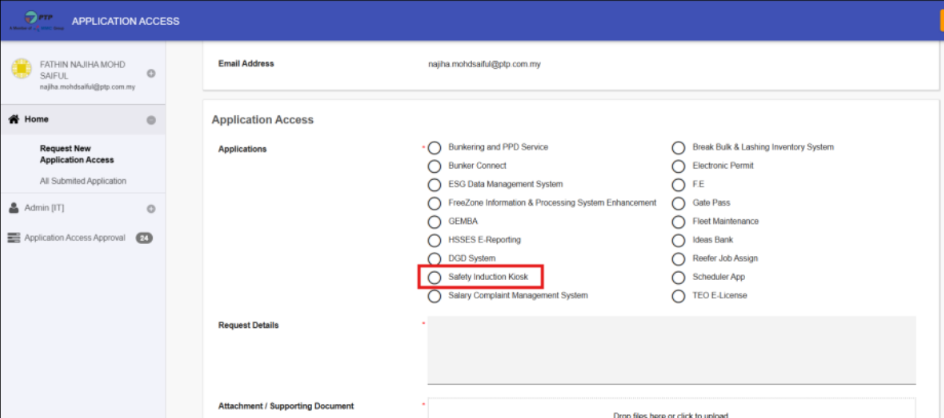
3: Fill in Application Form
- Choose
Safety Induction Kioskfrom the application list. - Complete the required fields and submit the form.
4: Access the Safety Induction Kiosk
- After your access request is approved by the administrator, return to
Application Accessand clickSafety Induction Kioskto launch the kiosk.
note
If you do not receive approval within the expected timeframe, contact the system administrator or your team lead for assistance.